Finding bottlenecks in your python app

Why profiling?
Optimizing for a specific computation when the bottleneck is at the network level isn’t the best use of your time. How do you find out which module needs a critical redesign, a better choice of algorithms, or data structures?
You can use your intuition and test the water using a few print statements here and there. Let’s say you time a DB operation against an image processing task to see which one needs some efforts first, comparing both execution time can help prioritize your energy but this severely risks seeing only a part of the picture if the dominant term for your program congestion is instead the API authentification flow.
In a nutshell, It’s easy to make wrong assumptions about your system bottlenecks and invest lots of time and effort for marginal performance gains. You need a systematic way to assess the resource usage of your app.
That’s exactly what profiling is about.
A brief note on monitoring vs profiling:
- Monitoring your system is about having metrics on the health of your system in prod in (as close as possible to) real-time. You can monitor the CPU usage, memory, bandwidth, number of incoming requests, errors, etc.
- Profiling is about identifying resource consumption of the different functions and instructions of your program. Think of profiling as doing a live dissection on your service to look into its deepest internals. From the high-level API calls to library functions, deep down to OS-level operations like read/write. You usually profile your program when the prototype is working, and you’re looking for the most critical element to optimize, if necessary.
Profiling is particularly useful when you have no clue over what could be your system bottleneck. Start your program, profile it with a typical workload, visualize the profiling report, and voilà. You now know it’s this sneaky image serialization task you didn’t even suspect that’s taking way too long!
Note that you can profile different metrics, like run time or memory, depending on your needs.
Profiling your python app
Fortunately, we have several profiling tools readily available for use in python. Among them, cProfile
and py-spy
-
cProfileis a deterministic profiler in the Python Standard Library. You can profile an existing script without changing its source code, then inspect the saved results withpstats:shellpython -m cProfile -o profile.pstats app.py python -m pstats profile.pstatsReplace
app.pywith your script. In thepstatsprompt, usesort cumulativefollowed bystats 20to inspect the functions with the most cumulative time. Profiling adds runtime overhead; use a representative workload and measure the effect of an optimization separately. -
py-spyis a third-party library with 7K GitHub ⭐️ at the time of this writing which seems surprisingly low to me given how well it works and the problem it solves.
py-spy can attach to an already-running Python process without restarting it or
adding instrumentation. Its sampling approach differs from cProfile's tracing of
function calls. The required
permissions depend on the operating system and whether you attach to an existing process.
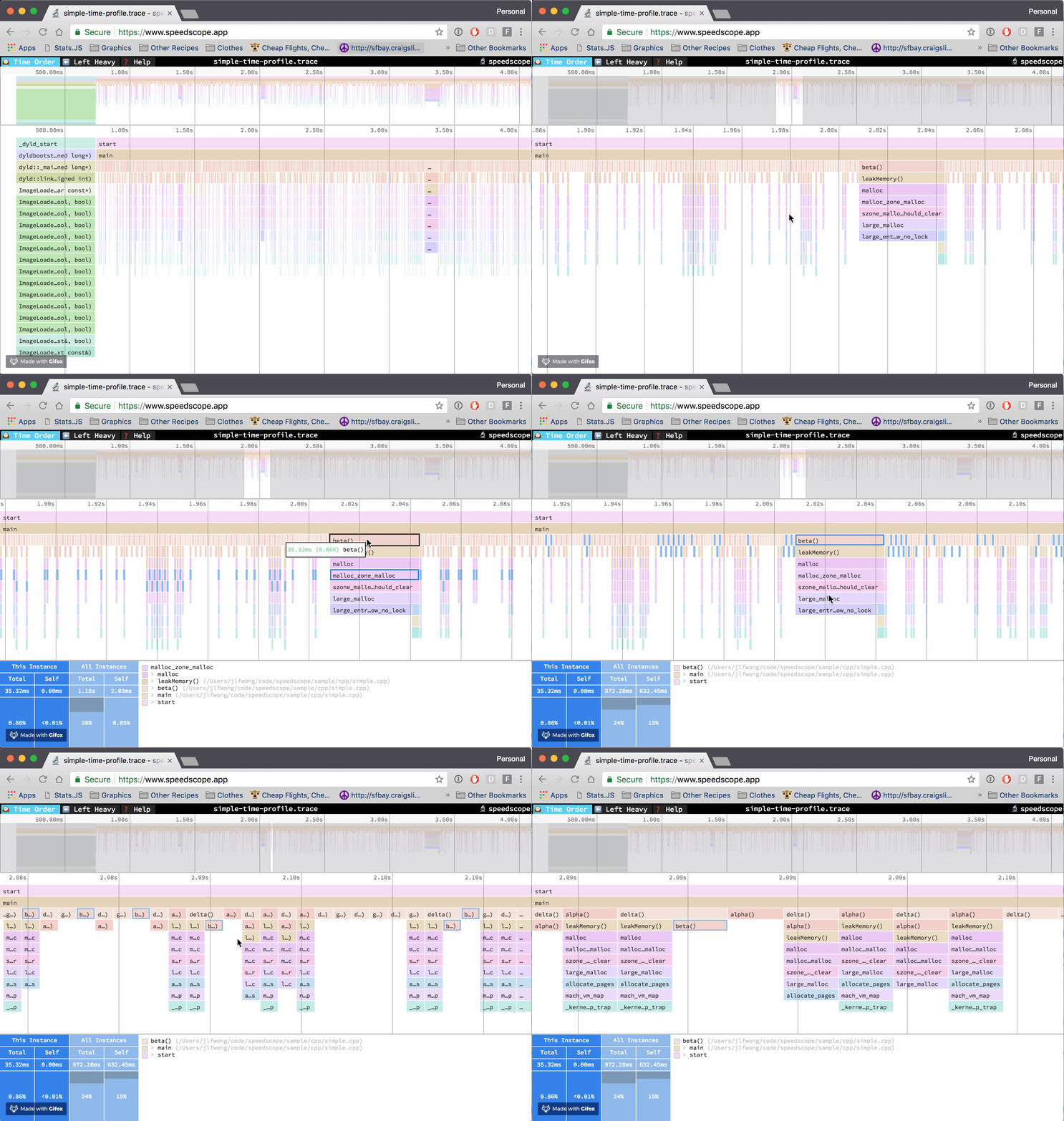
py-spy record can generate an interactive flame graph or export a profile with
--format speedscope for the speedscope app.
This makes it easier to explore where time is spent as the call stack grows.
Profiling your python app running in docker
py-spy proposes a convenient way to profile python apps running within a docker
container,
it's even easier if you're using docker-compose.
This blog post from Jan Pieter Bruins Slot does a nice job at proposing a minimum working example of how to profile your python app through docker.
Production profiling can be useful, but I would not leave a privileged profiling service
enabled by default. The py-spy
Docker instructions describe when SYS_PTRACE is needed. Enable it only for
the profiling task and remove the extra access afterward.
To address this, you can maintain two docker-compose files:
-
One for your dev environment
dev.docker-compose.yamlwith apy-spyservice -
And another docker-compose file for your prod without the
py-spyservice, yourprod.docker-compose.yaml
Wrap up
- Profiling is not so hard in python!
- Our intuitions for optimizations are often wrong.
-
py-spyand the speedscope app even make it fun to explore the call stack! - Profiling helps you get a better understanding of the order of magnitude of the different tasks of your pipeline.
References
- Photo by Brett Sayles from Pexels